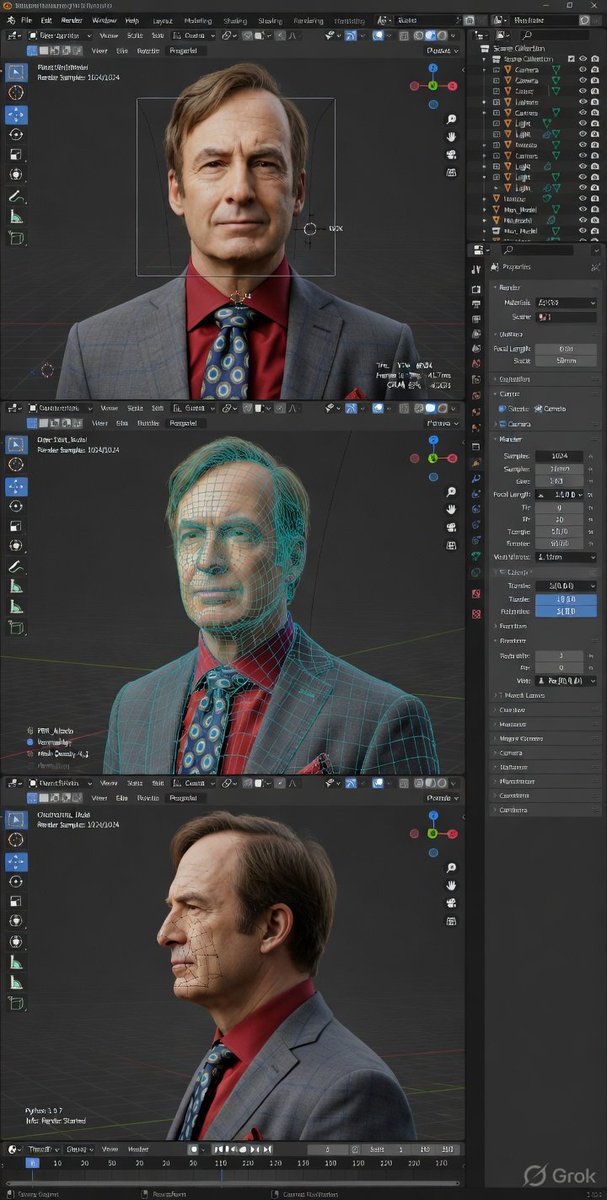
Blender dark-theme debug mode 3D software interface screenshot
From Wikiprompt, the free prompt encyclopedia
Apr 6, 2026
Blender dark-theme debug mode 3D software interface screenshot A fake but ultra-detailed screenshot of Blender's dark-theme interface in developer/debug mode, generated with Grok Imagine.
Related media
Prompt ContentSave
High-fidelity 3D software interface screenshot, Blender (dark theme) in developer/debug mode, ultra-detailed precision UI, hyper-realistic render + technical diagnostics overlay, crisp, high-resolution screen capture. Blender layout visible: top menu & workspace tabs (Layout, Modeling, Shading, Rend...
Sign in to see the full prompt
Sign In to ContinueUsage
This prompt is designed for use with creative. Copy the prompt content above and paste it into your preferred AI tool.
For best results, you may customize the placeholders (indicated by square brackets or capital letters) with your specific requirements.
References
- Category: creative Prompts
- Source: https://x.com/Goodmanprotocol/status/2041159881215148239
- Original view: View on Wikiprompt
Talk
0 comments